OVERVIEW
The One Link Everyone Gets
Every creator, coach, freelancer, and small shop owner gets handed the same tiny piece of real estate: one link, in one bio, on a platform that will not let them add a second. For roughly a decade, the entire link-in-bio category has answered that constraint the same way — a page of stacked buttons, one per destination. It works. It also has nothing to say about the person behind it.
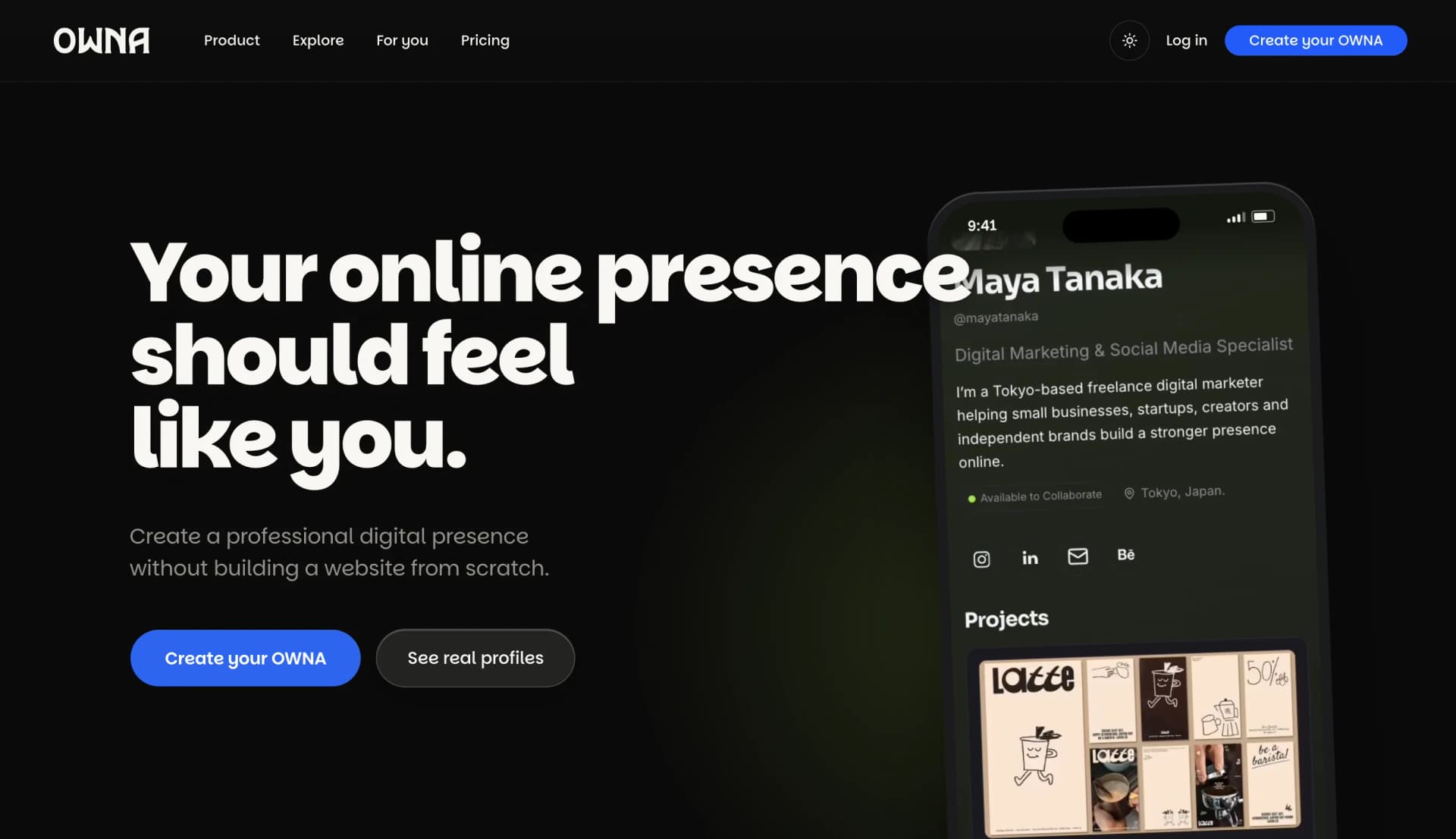
OWNA is a customizable digital profile platform built to say more. Every user gets a page at owna.online/{username}, assembled from nine drag-and-drop content blocks and a theme they control, published with no code, no hosting account, and no deploy step of their own — a real page where a link-in-bio tool would give them a list.
Solo build, start to finish: 46 of the 46 commits in the repository are mine, over roughly ten days. The repo is hosted under a collaborator's GitHub account, but the architecture, database schema, UI, and copy are mine end to end.
01 · THE PROBLEM
One Link, Doing Too Much Work
Watch what actually happens when a photographer, a coach, or someone selling handmade jewellery tries to use a link-in-bio page honestly. The tool gives them one block type — a button — and asks them to represent a portfolio, a service list, and a way to get in touch with nothing else. They end up with a page that reads like a table of contents for a book no one can open: 'Portfolio,' 'Book a call,' 'Shop,' each one a dead end that bounces the visitor to yet another site before anything real gets shown.
That model came from musicians linking out to five streaming platforms, where a stack of interchangeable buttons is genuinely the right interface. It stopped being right the moment link-in-bio pages became the default landing page for anyone without a website — which is most independent creators and small businesses. The workaround is a full site: Squarespace, a portfolio builder, a custom build. That solves the content problem and reintroduces exactly what link-in-bio tools were invented to remove — hosting, a domain, a redesign every time the content changes.
There was no option that sat between 'one link stack' and 'an entire website.' That gap is the whole brief.
02 · THE DECISION
Nine Blocks, and Build Before You Sign Up
The fix sounds almost too simple stated plainly: stop giving people one block. A link-in-bio tool has buttons, forever. OWNA has nine — hero, text, gallery, projects (case studies with their own image galleries), image, links, embeds, social icons across thirteen platforms including email, and dividers — arranged on a canvas in any order. The same nine blocks read as a portfolio for a photographer, a service page for a coach, or a shop front for a maker, because the page is built from what that person actually has, not from what the tool assumes everyone has.
The decision that mattered more than the block count was a UX one: you can build the entire page — every block, every theme — before creating an account. Signup is only required to publish. Most tools in this category ask for an email address before showing you anything, betting that friction now protects conversion later. I bet the other way: let someone build the real thing, watch it come together, and only ask for a commitment at the moment they already want to keep what's in front of them.
'Try it, no signup required' had to be true of the database, not just the landing-page copy — which meant a guest's fully-built draft had to survive intact through onboarding, into the editor, and all the way to the moment they finally do sign up. I tested this by building a page as a stranger would: no account, straight to the questionnaire, straight into the editor. It works exactly as advertised.
03 · THE EDITOR
Inside the Editor
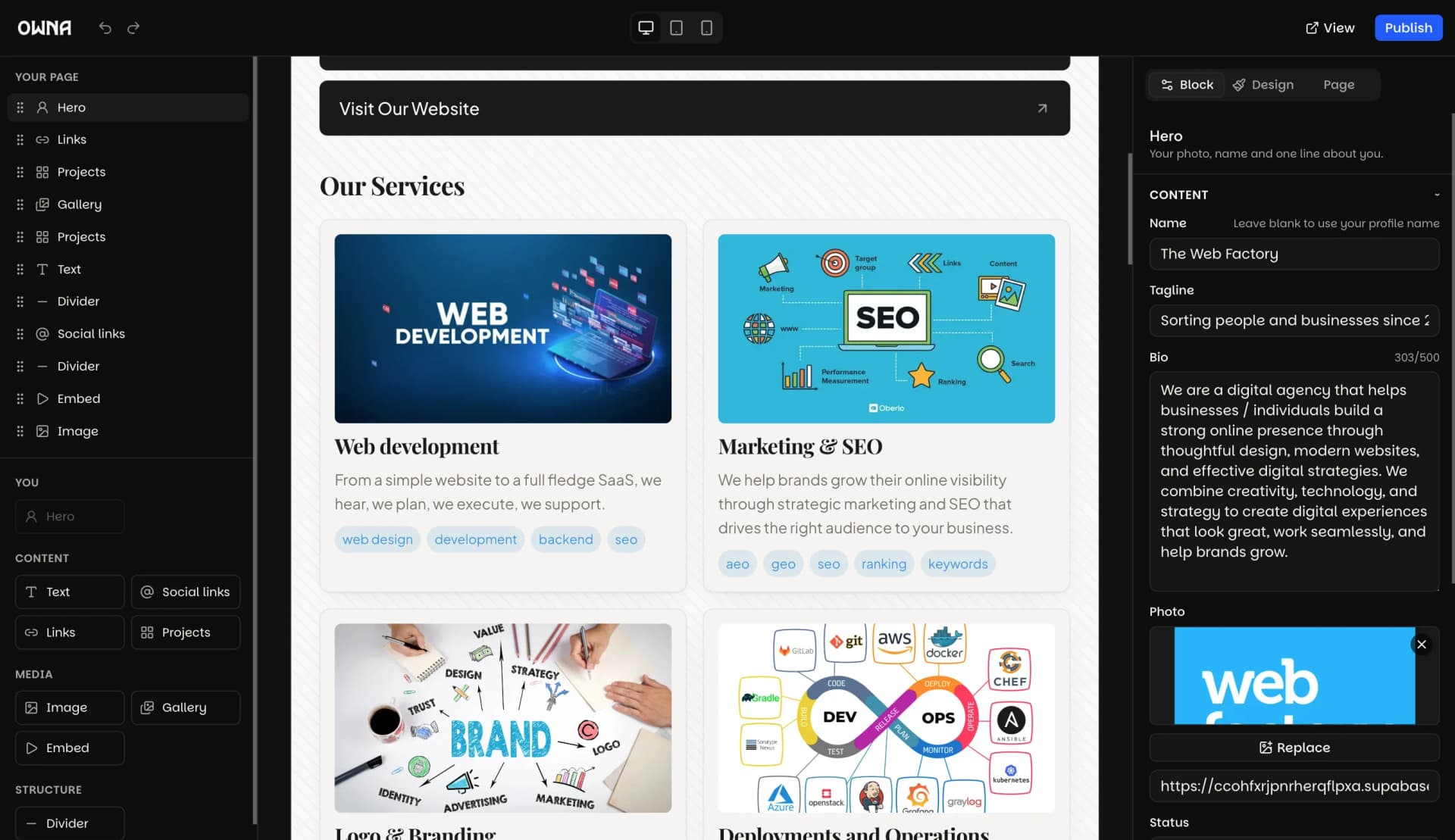
This is the part that has to hold up under a real, first-time user with no patience for a tutorial: a drag-and-drop canvas built on dnd-kit, an outline and layer view for jumping between blocks without scrolling, a per-block inspector for the fiddly settings, and a theme panel that swaps the whole page's look in place. Every change autosaves through a debounced Server Action, so there's no save button to forget and no draft to lose.
The onboarding questionnaire feeds straight into this screen: answer a few questions about who you are, and the canvas opens with a layout already weighted toward the blocks that persona actually needs, instead of a blank page asking a first-time visitor to invent a whole content strategy before they've even signed up.
04
Five People, One Page
Five personas are baked into onboarding and get their own landing pages at /for/{persona}: coaches and consultants, photographers, freelancers and independents, artists and makers, and people selling handmade goods — an Etsy-style jewellery seller, for instance. The thread connecting all five: one person, a body of work or a service, who needs one credible page for a business card, an email signature, or a QR code, and has neither the time nor the reason to run a CMS to get it.
None of that is decoration. It's the actual answer to 'who is this for, and why would they pick nine blocks over one' — and it's checkable, because the discover section on the live site shows real example profiles per persona rather than stock mockups.
05 · THE EXECUTION
Publishing Without a Deploy
Here's the constraint that shaped everything else: thousands of people would eventually be editing thousands of pages, and none of them could be waiting on a build. So there is exactly one deployment of OWNA, ever. Every profile is that same Next.js app rendering a different JSON configuration, selected by the {username} segment of the URL. Publishing an edit is a cache invalidation — a tagged use cache entry cleared for that username — never a rebuild.
The public page is one indexed database read. A Postgres function, public.publish_profile(), assembles a full JSONB snapshot — profile, theme, layout, ordered visible blocks, SEO fields — from the owner's draft rows inside the database at publish time. Two schemas keep editing and serving apart on purpose: draft tables (profiles, pages, blocks — RLS owner-only) versus published snapshots (profile_publications — RLS world-readable), so a half-finished edit can never leak onto a public page mid-save.
The trickiest constraint was keeping the editor's live preview honest. Block definitions are pure data — lib/blocks/definitions.ts holds each block's type, Zod schema, and defaults with zero UI code — and renderers and editor inspectors are two separate registries keyed off that data, which keeps editor-only chrome (colour pickers, drag handles, property panels) out of the public bundle entirely. It's enforced by an architecture test, not left to good intentions. The renderer components themselves are shared, pure, and presentational — no async, no data fetching — so the server renders them for the public page and the editor renders the identical components client-side for live preview. The preview can't drift from what ships, because it isn't a preview of the component. It is the component.
06
Nothing Trusts the Client
Every write goes through Supabase Row Level Security as the signed-in user — there's no service-role key anywhere in the codebase — and the publish snapshot is generated server-side, never posted up from the browser. Outbound links get re-validated against a protocol allowlist on write and again at render. Embeds are never raw user HTML: a pasted URL has to match a strict per-provider pattern, and the iframe src is rebuilt from a fixed template server-side rather than passed through from whatever the user typed.
Themes apply as inline CSS custom properties instead of a generated stylesheet, which closes off arbitrary-CSS injection as an attack surface and lets the app run under a strict Content-Security-Policy. It's also why themes and fonts are a curated set of ten each rather than open text fields — next/font/google requires literal, build-time calls, which rules out an arbitrary user-supplied font by construction, not by validation after the fact.
07
What Shipped, and What's Still in Proof
Shipped: the nine-block editor, ten themes, Supabase Auth with Google OAuth and email, the guest-build/publish-gated flow, five persona landing pages with real example profiles, Vitest unit tests including the architecture-enforcement test, a Vitest integration suite running RLS policy tests against a real scratch Supabase project, and Playwright e2e covering the full create-to-publish-to-visit loop.
Not built, on purpose, and said so in the project's own docs rather than quietly implied: custom domains — the table exists, unused — remix, a theme marketplace, discovery beyond the persona pages, analytics past a dashboard placeholder, multi-page profiles — the schema supports it, the UI doesn't expose it — and any paid tier. It's free right now because that's where the scope stopped, not a growth strategy.
The honest test of any of this isn't the section above — it's whether a stranger can land on owna.online, build a page with no account, and actually want to keep it. Go try that part first.